Skip to content

Welcome, Packet Pushers listeners

Your network.
The user’s
point of view.

Go deeper with NetBeez on Total Network Operations with Scott Robohn. See how active monitoring helps you find performance issues before the next trouble ticket.

Technical resources. No form required.

PACKET PUSHERS× NETBEEZ

TOTAL
NETWORK
OPERATIONS

A conversation with Scott Robohn
Featuring NetBeez

NetBeez on Total Network Operations

Join Scott Robohn and NetBeez for a conversation about moving from “is it the network?” troubleshooting to continuous assurance. Listen to the episode on Packet Pushers.

Listen to the episode

From the conversation to your network

Get beyond “the network is slow.”

Three ways to turn an end-user complaint into evidence you can act on.

01 / SEE THE EXPERIENCE

Test from where your users connect.

Measure connectivity from branch offices, Wi-Fi networks, and remote workers - not just the data center.

02 / NARROW THE PROBLEM

Bring evidence to the troubleshooting call.

Use latency, packet loss, DNS, and application tests to investigate where performance breaks down.

03 / VERIFY THE FIX

Know what changed. See whether it helped.

Compare performance before and after a change, and keep testing for those intermittent issues.

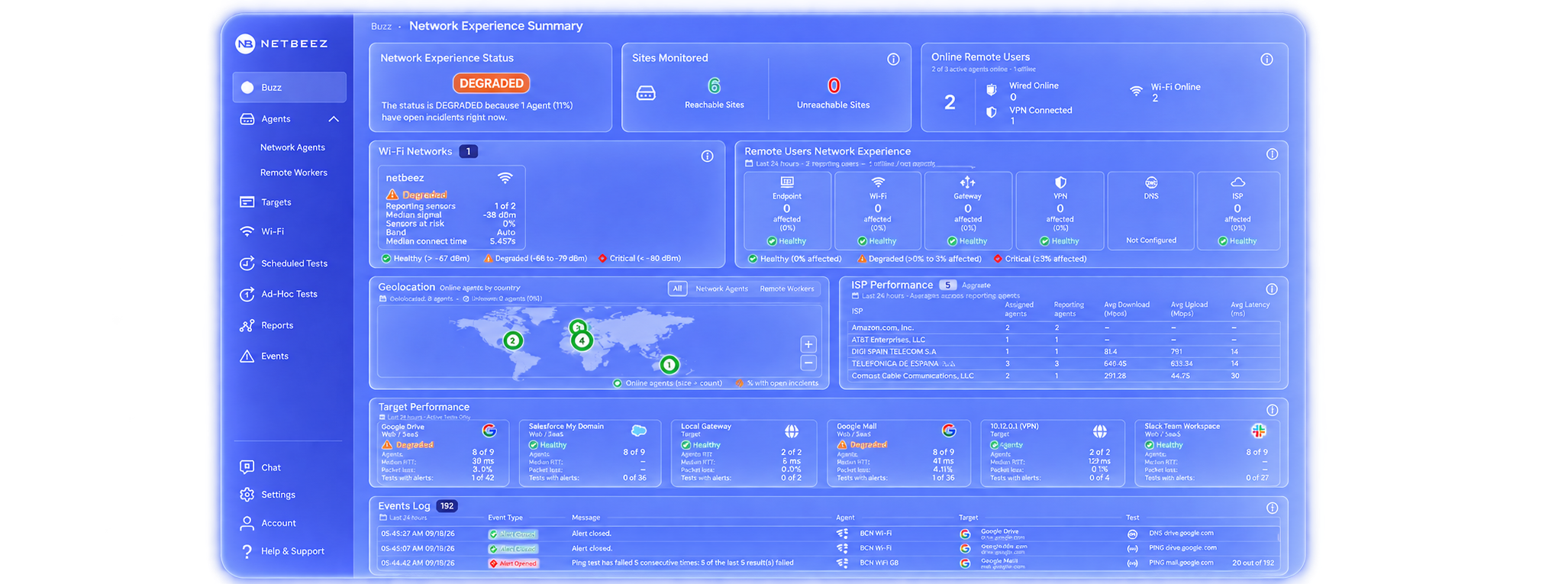
NetBeez NextGen network experience dashboard
NetBeez NextGen · Network experience monitoring

See how it works

Follow one issue.
From alert to insight.

See how NetBeez brings continuous tests, network paths, and performance history together to help investigate a user’s slow application experience.

Request a walkthrough

Keep exploring

For your next troubleshooting session.

Practical references you can use right away. No registration required.

Practical checklist

“Is it the network?” Start here.

A repeatable sequence for checking connectivity, DNS, the network path, and application response.

Read the checklist
Technical documentation

Go under the hood.

Explore test configuration, agent deployment, and the measurements behind the dashboard.

Explore documentation
API & integrations

Fit NetBeez into your workflow.

Explore how monitoring data and alerts connect to your existing operations tools.

Explore integrations
“Is it the network?” A six-step troubleshooting checklist
  1. Establish the scope. Record the affected user, application, location, connection type, and time. Determine whether one user, one site, or multiple sites are affected.
  2. Check the local connection. Verify link or Wi-Fi association, addressing, and gateway reachability. Compare Wi-Fi signal and connection events with the incident time.
  3. Test name resolution. Query the application hostname through the configured DNS resolver. Compare response time and results with a known-good location.
  4. Compare network paths. Measure end-to-end latency and loss, and compare paths from affected and unaffected locations. A single hop’s missing ICMP replies do not, by themselves, prove forwarding loss.
  5. Check application response. Compare an HTTP test with basic connectivity and DNS results. Check whether the issue follows the application, the location, or a specific connection.
  6. Verify the fix. Repeat the same tests after the change. Compare with the baseline, confirm the user’s experience, and keep monitoring for recurrence.

Capture timestamps and test results with the ticket so the next team can continue the investigation with the same evidence.

Bring your toughest network question.

Walk through your environment with the NetBeez team and see how active monitoring could help your network operations.

Request a demo
More from NetBeez on Packet PushersListen to our earlier Tech Bytes episode